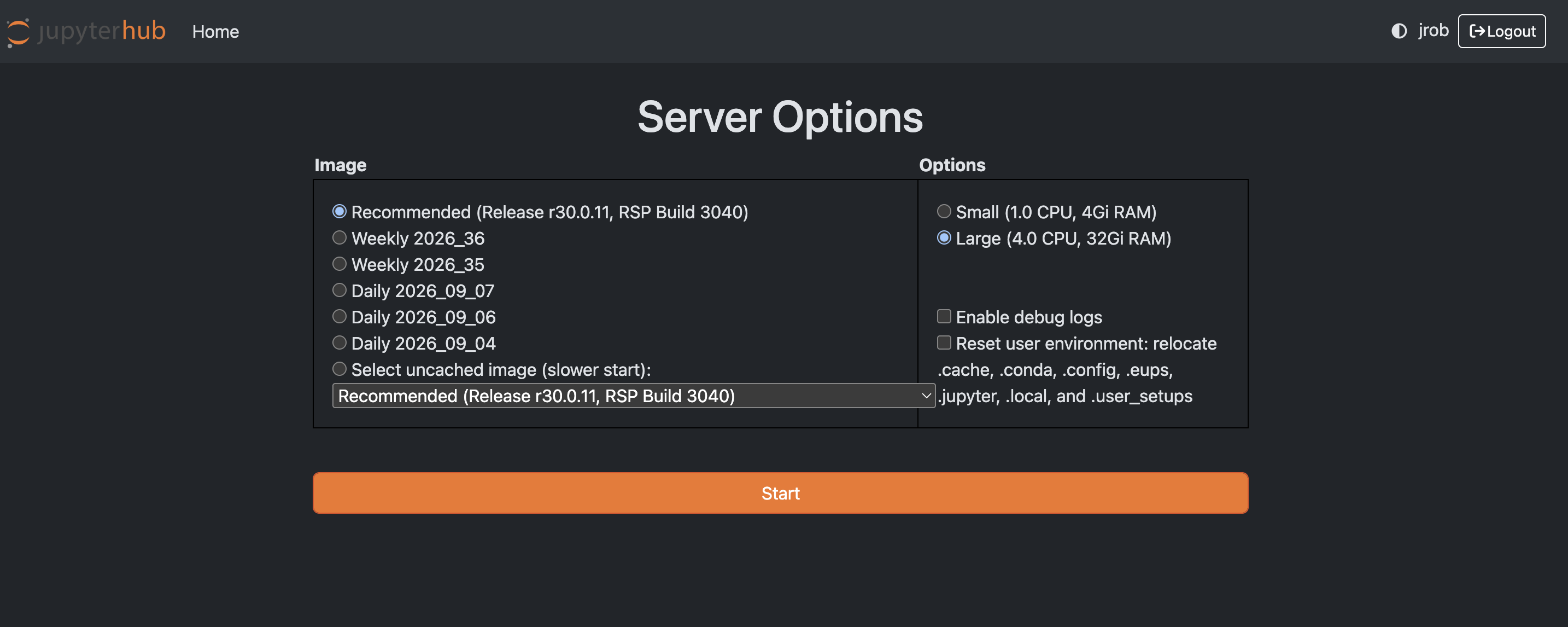
I wanted to ask if there is an efficient way to toggle between the DP1 and DP2 tutorial environments without having to log in and out each time.
Since DP1 and DP2 are currently running different versions of the LSST Science Pipelines, I often need to switch between them while working with the tutorials and testing code. Is there a recommended way to manage both environments simultaneously or switch between the two versions more efficiently?
Also, I have noticed that multiple times, even after logging out, I don’t get the option to select the appropriate version of the LSST Science Pipelines. Instead, it seems to automatically use the version from my previous session. This also happens when I open a new browser session.
Could you please let me know whether there is a reliable way to select the required pipeline version for each session, or a recommended workflow for working with both DP1 and DP2 without these version conflicts?
Hi Anindya, thanks for getting in touch with your query. Just to make sure I understand your issue, do you have any specfic examples of tutorials (or bits of code) that are incompatible between DP1 and DP2? And could you clarify what you mean by changing between the DP1/DP2 environments? Are you refering to the selecting a specific release when launching the RSP server (e.g. the current release is r30.0.11) or selecting a specific conda environment when running your code (e.g. lsst-scipipe-12.3.0-exact).
Also, for the issue you describe with logging out and selecting the pipeline version, are not getting to this screen when you launch the notebooks? You should be able to get there from the notebook interface with File > Save, Exit, and Log Out and then logging in again. If that’s not working we shall investigate further!