What is the recommended course of action for nearby stars in the Object catalog that are bright enough/cover a large enough angular size that are likely saturated and the deblender processes them and reports multiple “children” objects but not the original one?
I am interested in crossmatching the Gaia Catalog of Nearby Stars to DP1 fields, but am finding that for G/K/early-M stars their angular size and brightness are large enough to trigger the deblending pipelines and they subsequently are reported as multiple children objects in the Object table. The children objects all share the same parentObjectId, but I’m struggling to find a way to work backwards and get reliable positions, magnitudes, etc for the primary object itself. It’s my understanding that this is a known issue, but I’m curious what the recommended approach to these situations is. From my reading of documentation surrounding the deblending scarlet algorithm, it seems to be optimized for galaxies and not large/bright stellar sources. This deblending seems to be most problematic for nearby low mass stars (G/K/early-M stars) and becomes less of an issue for later spectral types.
There are two specific use cases our group has encountered:
Trying to match nearby saturated objects, we want to get reliable measurements for positions, magnitudes, etc (or at the very least, if an object is saturated maybe a lower limit on the magnitude).
Trying to identify color outliers like M subdwarfs using color-color selection techniques picks up many of the children objects and requires additional vetting.
Some related questions are:
How could one get positions and magnitudes for the parent object? (use case 1)
Since only children are reported in catalogs, what identifier should be used for the parent object (particularly in external reference and publication scenarios) and how can it be retrieved in a reproducible way? (use case 1)
Is there a flag that can be used to trace back to the original footprint/centroid to do forced measurements? (use case 1 & 2)
Is there a flag that can mark if an object in the catalogs is near a bright saturated object or near a known bright Gaia object, for example? (use case 2)
Here are some examples I’ve found so far:
Ex 1:
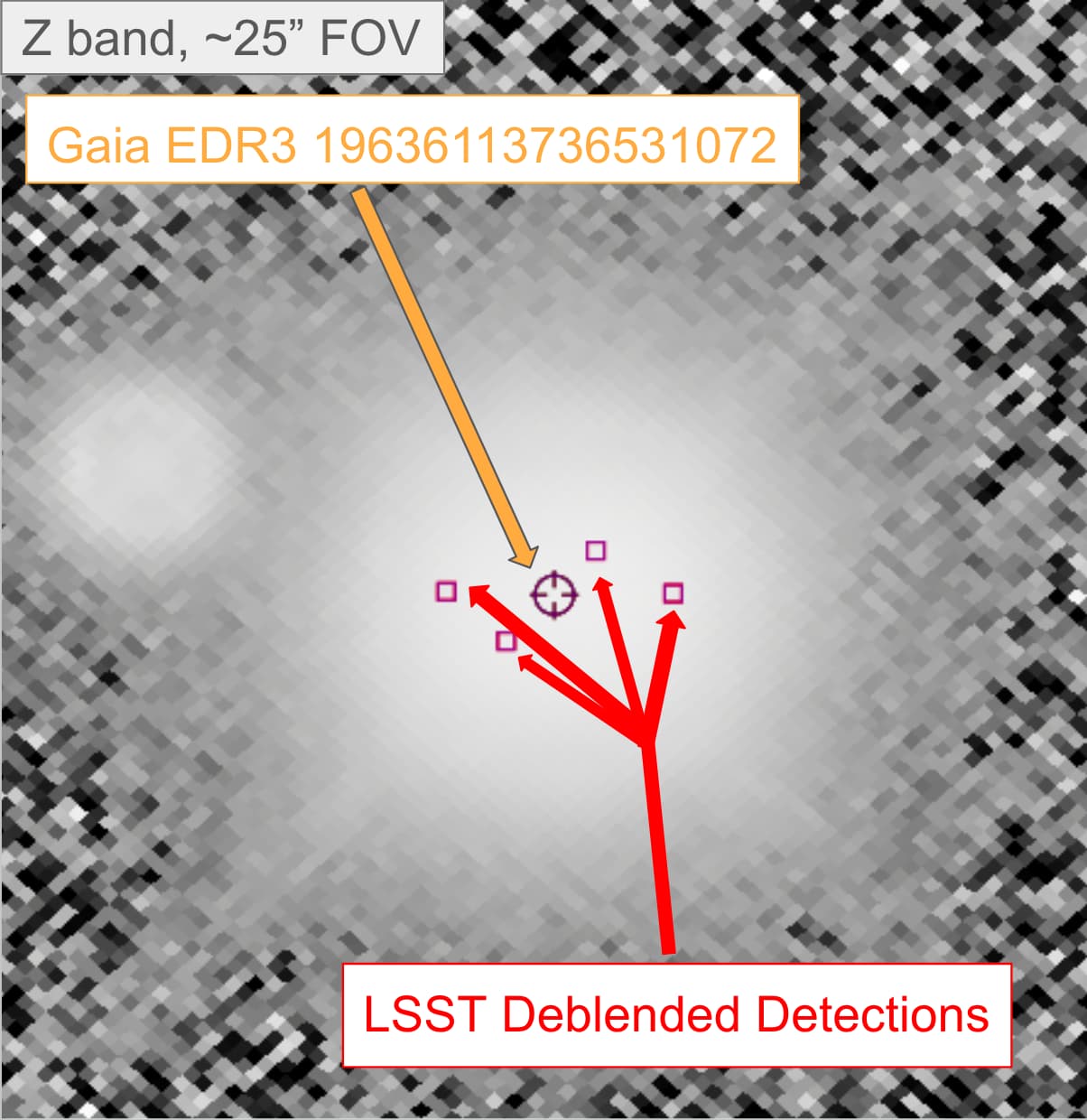
Nearby (56pc) early M dwarf Gaia EDR3 19636113736531072 is reported as 4 different Objects in DP1 that all have unique objectId’s but share a single parentObjectId (650018973554837957)
Ex 2:
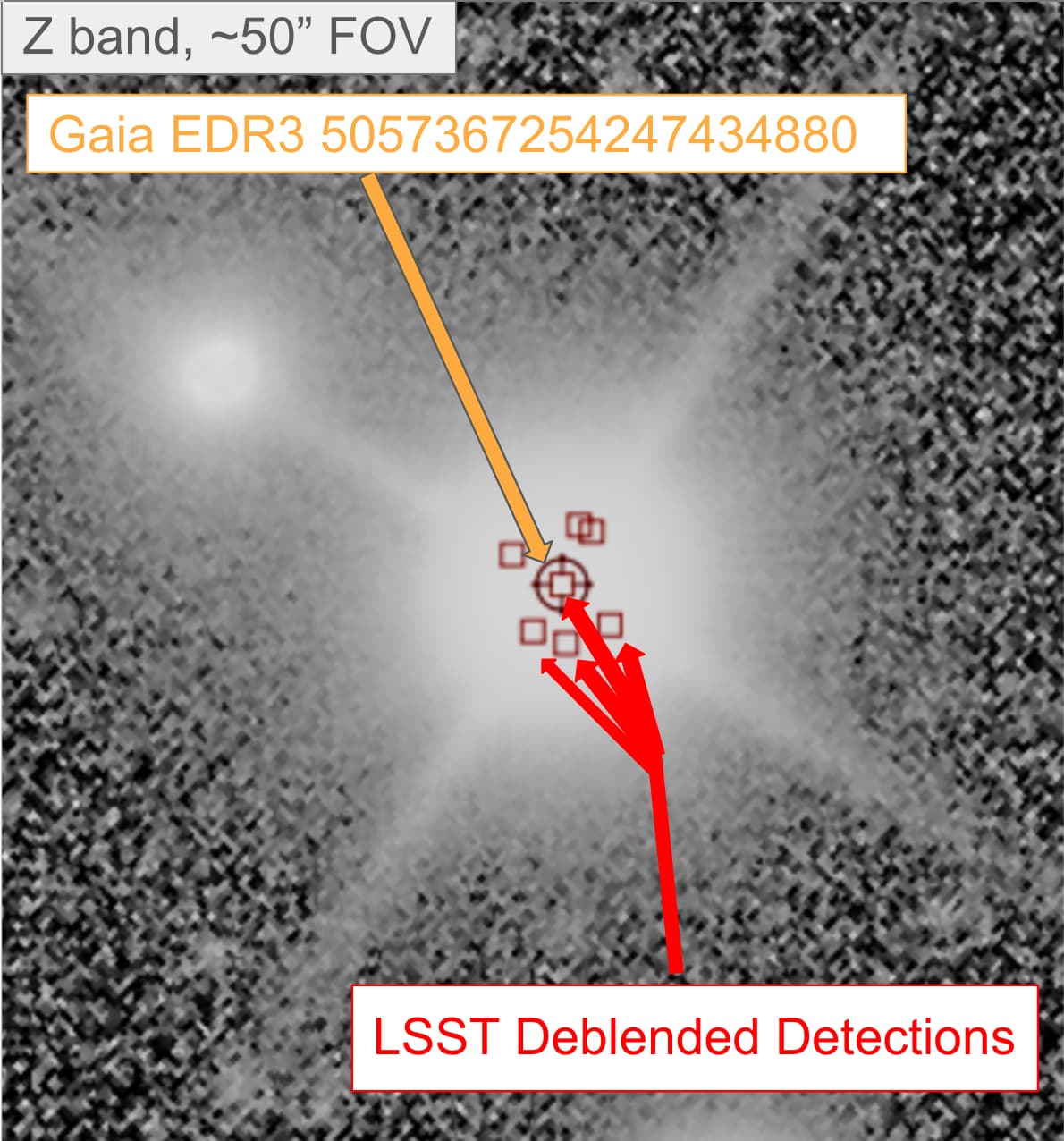
Nearby (100pc) K dwarf Gaia EDR3 5057367254247434880 is split into 7 different children detections with the same parentObjectId (609780833707887489). One looks to coincide with the center of the object, but in the object table appears no different from the other 6 objects. I would be hesitant to use the position and magnitudes of the centermost object.
Example 3:
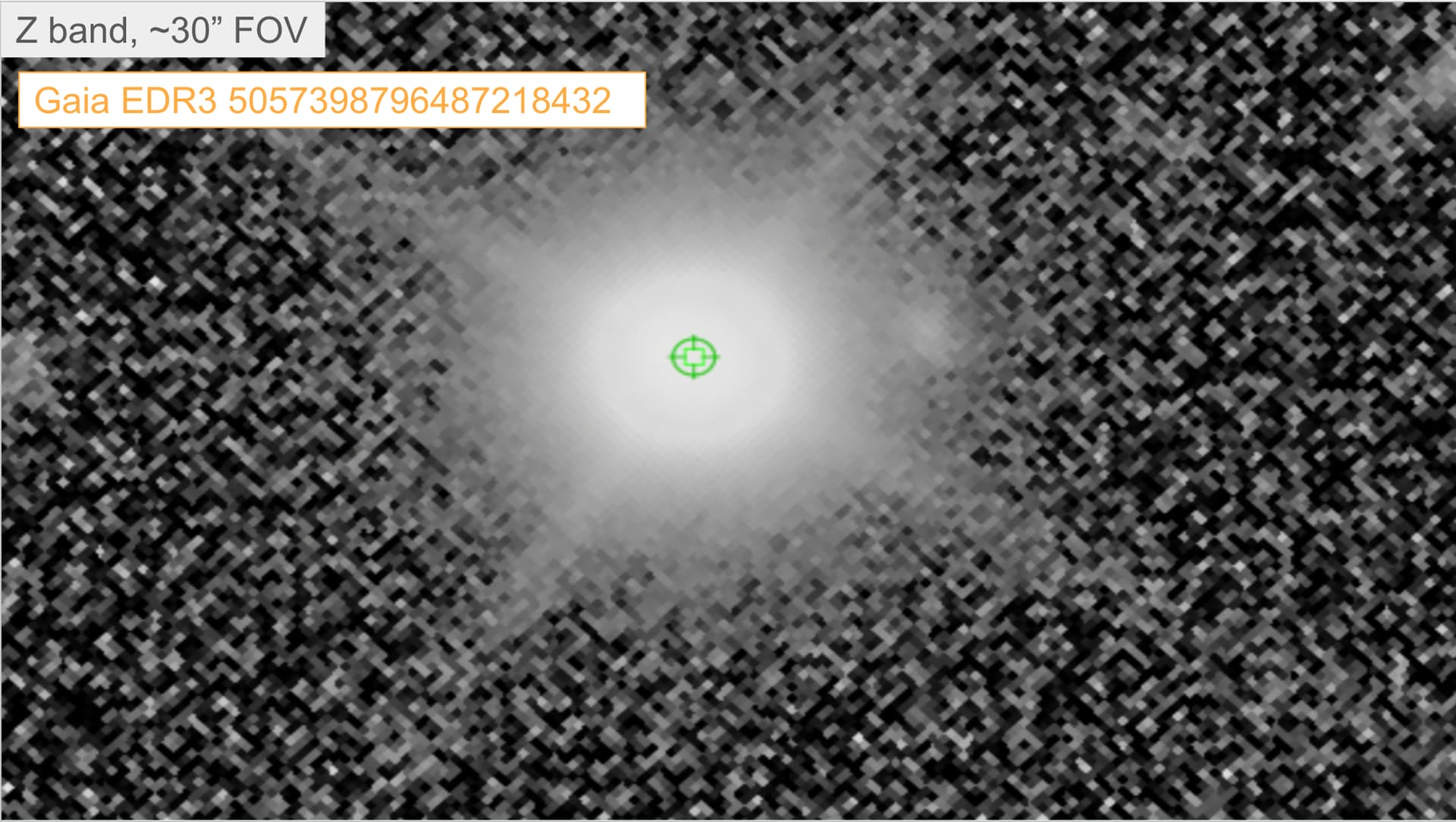
Nearby (92pc) mid/late M dwarf Gaia EDR3 5057398796487218432 is not blended and does not encounter the same issue as in examples 1 and 2. It has one LSST Object table entry.
I can answer some of your questions. parentObjectId gives the ID of the parent that sources were deblended from. For isolated sources (that were not deblended) this will be zero. For deblended sources this will be non-zero and gives the id of the blend. If you also look up the tract and patch in the catalog In DP1 you can load all of the blend models for that tract and patch using
where blendId is parentObjectId that you found earlier.
There are keys that can help with identifying if a given source had saturated pixels (<band>_pixelFlags_saturatedCenter, where band can be any of ugrizy). So in theory you should be able to select all of the sources with the same parentObjectId and check if any of them have any of the <band>_pixelFlags_saturatedCenter keys set.
Note: in DP2 and future data releases there will also be an object_parent catalog containing information about deblending but that data product was not ready for DP1.
As for trying to do astrometry on saturated objects, that is a difficult problem and I’m not sure that we have any mechanisms for that right now. Someone else can chime in and correct me.
Hi @eastonhonaker, Forum moderator here – I noticed a solution has not yet been marked for this topic, so I took a closer look.
I think Fred has adequately answered the questions about relevant flags, and clarified that positions and magnitudes for the parent object are not available for Data Preview 1. Fred also provided some code for retrieving the blend models – if you’d like more help loading the blend models for a given parentObjectId, the DP1 tutorial notebooks in series 206 “Deblender products” provide step-by-step examples.
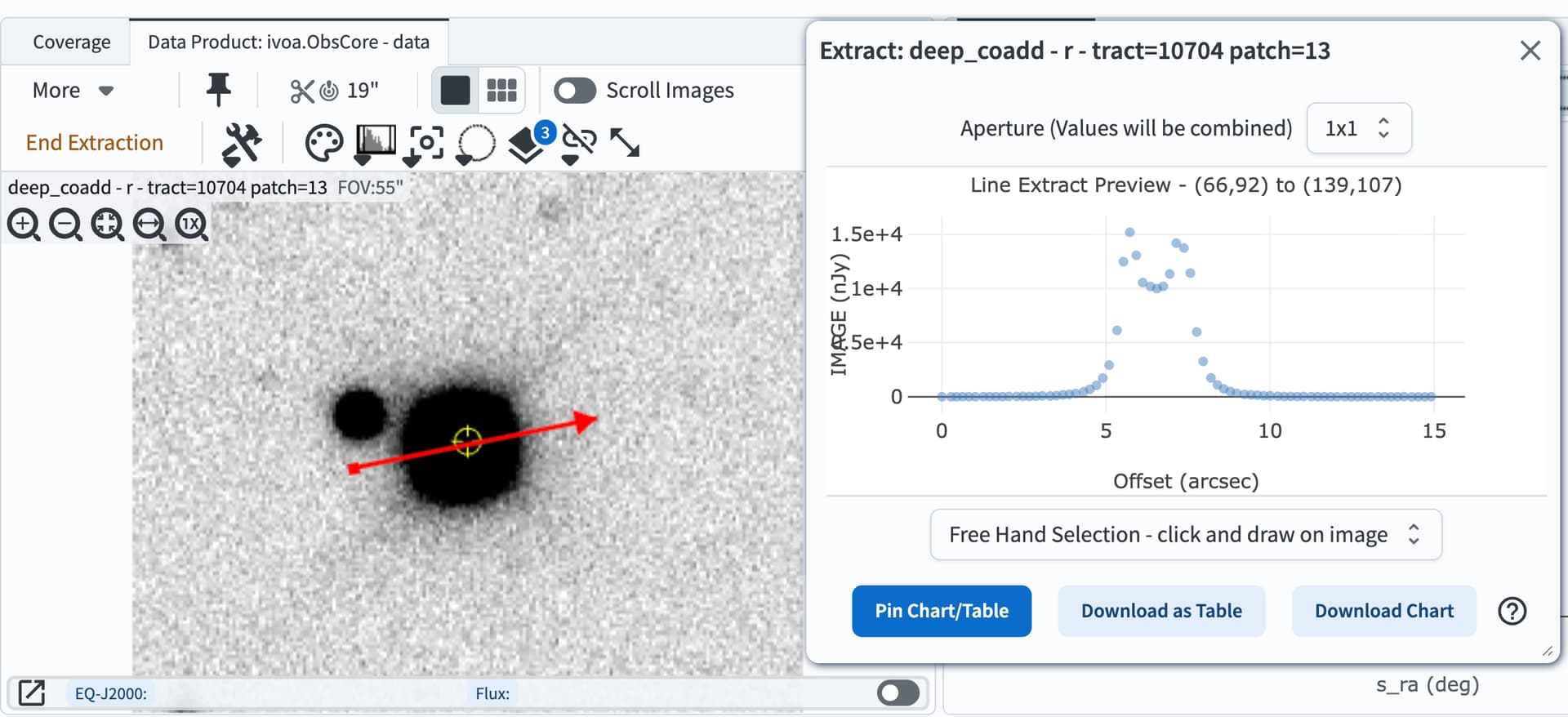
I understand that you’re looking “to find a way to work backwards and get reliable positions, magnitudes, etc for the primary object itself”, but in cases where the primary object is a saturated star, it is not possible to get reliable positions or magnitudes for the star. This is not a solvable issue so much as a fact for CCD photometry. There is simply inadequate flux information from the saturated core of the star.
To illustrate this, I made a row cut to show how the pixel fluxes from a saturated star do not exhibit a PSF (the star is your early M dwarf Gaia EDR3 19636113736531072 at RA=37.7439349844, Dec=7.6486755702, and this is the r-band deep coadd image):
And finally, as for your question of whether you could at least get a lower limit on the total flux of a parent. The answer is yes, but the estimate does not have error bars and I’m not sure how scientifically useful it is. To demonstrate how to do this for your nearby (56pc) early M dwarf Gaia EDR3 19636113736531072 which has parentObjectId 650018973554837957, I created this Jupyter Notebook for you.
I’m going to preemptively mark Fred’s response as the solution for this topic, but if we haven’t fully answered your questions (or my notebook raises new ones) please just unmark it and reply in thread, we’re happy to keep discussing! And thanks for posting your questions here in the Forum.