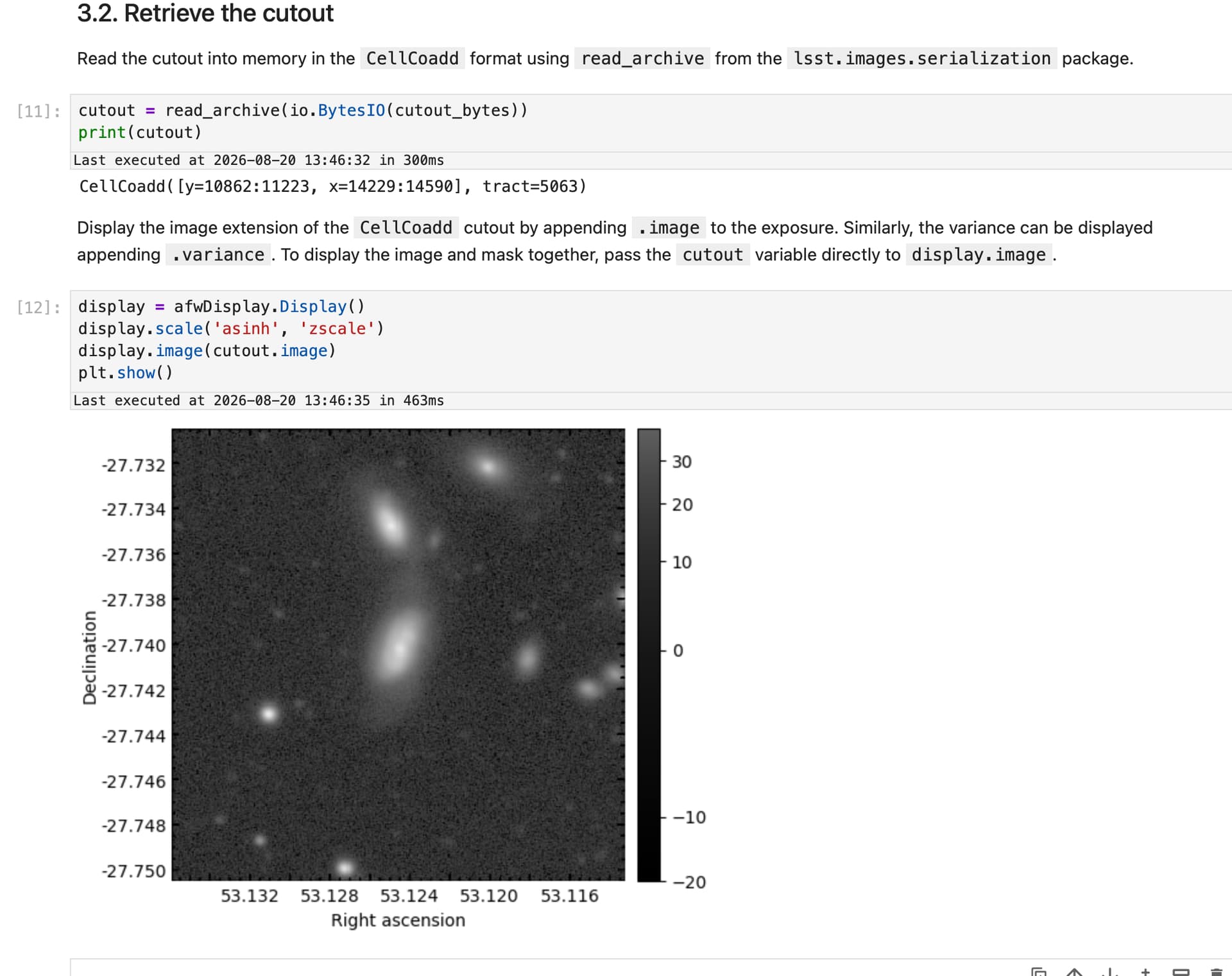
I was trying out the tutorial notebook for DP2 cutouts (103_6_Cutout_exposures.ipynb) and ran into a small problem. In Section 3.2 “Retrieve the cutout”, the suggested code differs from the DP1 version of the notebook and produces an error. This is the code in the notebook for reading the cutout into memory:
cutout = read_archive(io.BytesIO(cutout_bytes))
and this produces the error message (I include the full traceback below):
ValueError: NoneType copy mode not allowed.
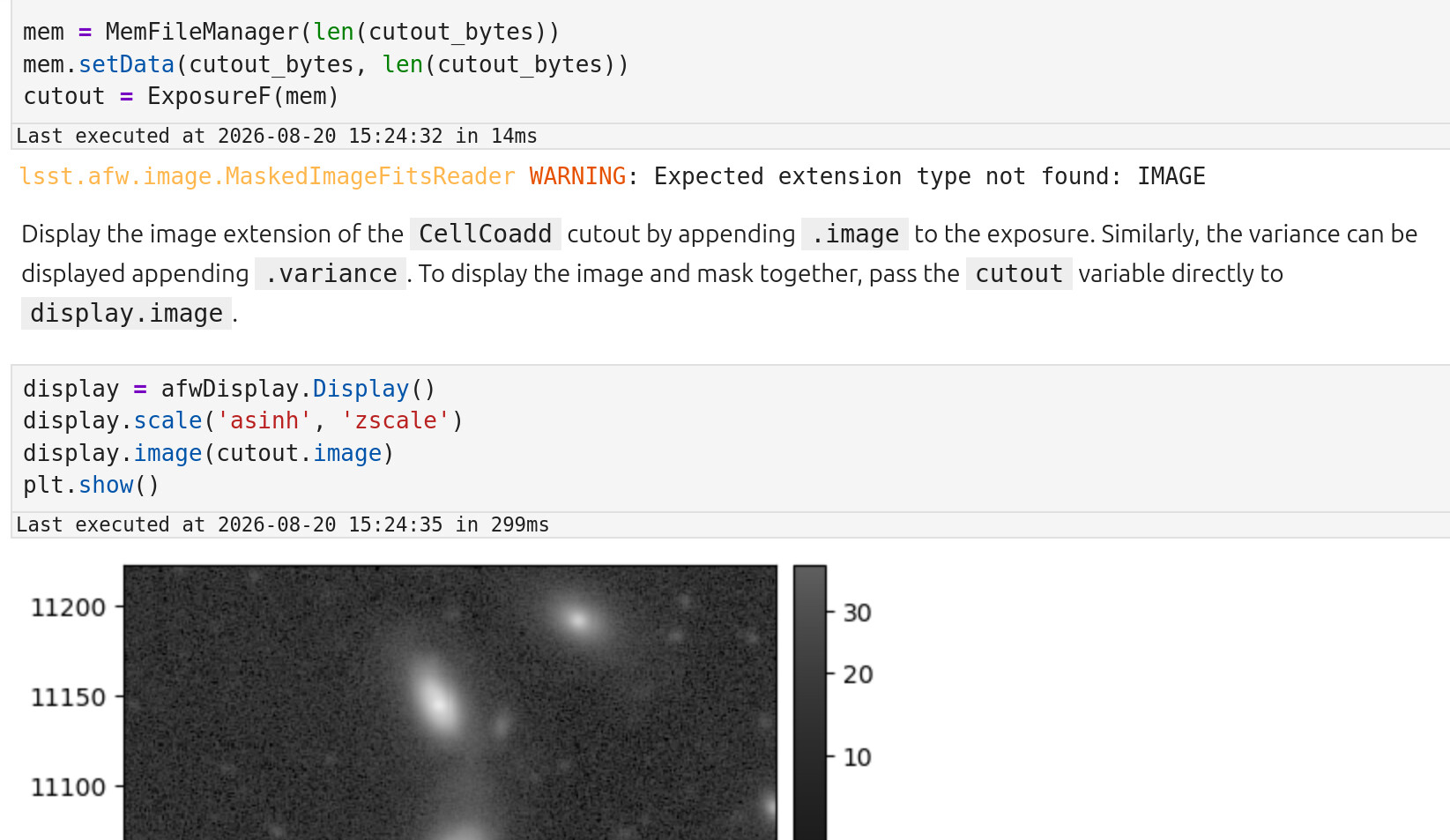
When I change that cell to the syntax used in the DP1 version of the tutorial I am able to produce the expected image despite a warning message appearing:
Full traceback from the DP2 version error:
---------------------------------------------------------------------------
ValueError                                Traceback (most recent call last)
Cell In[50], line 8
      4 #mem = MemFileManager(len(cutout_bytes))
      5 #mem.setData(cutout_bytes, len(cutout_bytes))
      6 #cutout = ExposureF(mem)
      7
----> 8 cutout = read_archive(io.BytesIO(cutout_bytes))
      9 #print(cutout)

File /opt/lsst/software/stack/conda/envs/lsst-scipipe-12.3.0-exact/share/eups/Linux64/images/g5d9ab2072b+1e8c26ef81/python/lsst/images/serialization/_io.py:314, in read_archive(path, cls, format, **kwargs)
    312 partial = any(value is not None for value in kwargs.values())
    313 with open_archive(path, cls, format=format, partial=partial) as reader:
--> 314     return reader.read(**kwargs)

File /opt/lsst/software/stack/conda/envs/lsst-scipipe-12.3.0-exact/share/eups/Linux64/images/g5d9ab2072b+1e8c26ef81/python/lsst/images/serialization/_reader.py:131, in Reader.read(self, **kwargs)
    123 """Deserialize and return the whole object.
    124
    125 Parameters
   (...)    128     Additional keyword arguments forwarded to the deserializer.
    129 """
    130 self._check_open()
--> 131 obj = self._tree.deserialize(self._archive, **kwargs)
    132 if hasattr(obj, "_opaque_metadata"):
    133     obj._opaque_metadata = self._archive.get_opaque_metadata()

File /opt/lsst/software/stack/conda/envs/lsst-scipipe-12.3.0-exact/share/eups/Linux64/images/g5d9ab2072b+1e8c26ef81/python/lsst/images/cells/_coadd.py:701, in CellCoaddSerializationModel.deserialize(self, archive, bbox, provenance, **kwargs)
    699 if kwargs:
    700     raise InvalidParameterError(f"Unrecognized parameters for CellCoadd: {set(kwargs.keys())}.")
--> 701 masked_image = super().deserialize(archive, bbox=bbox)
    702 mask_fractions = {
    703     k.removeprefix("mask_fractions/"): v.deserialize(archive, bbox=bbox)
    704     for k, v in self.mask_fractions.items()
    705 }
    706 noise_realizations = [v.deserialize(archive, bbox=bbox) for v in self.noise_realizations]

File /opt/lsst/software/stack/conda/envs/lsst-scipipe-12.3.0-exact/share/eups/Linux64/images/g5d9ab2072b+1e8c26ef81/python/lsst/images/_masked_image.py:576, in MaskedImageSerializationModel.deserialize(self, archive, bbox, **kwargs)
    574     raise InvalidParameterError(f"Unrecognized parameters for MaskedImage: {set(kwargs.keys())}.")
    575 image = self.image.deserialize(archive, bbox=bbox)
--> 576 mask = self.mask.deserialize(archive, bbox=bbox)
    577 variance = self.variance.deserialize(archive, bbox=bbox)
    578 sky_projection = self.sky_projection.deserialize(archive) if self.sky_projection is not None else None

File /opt/lsst/software/stack/conda/envs/lsst-scipipe-12.3.0-exact/share/eups/Linux64/images/g5d9ab2072b+1e8c26ef81/python/lsst/images/_mask.py:1175, in MaskSerializationModel.deserialize(self, archive, bbox, strip_header, **kwargs)
   1171     raise ArchiveReadError(
   1172         f"Number of mask arrays ({len(self.data)}) does not match expectation ({len(schemas_2d)})."
   1173     )
   1174 for array_model, schema_2d in zip(self.data, schemas_2d):
-> 1175     mask_2d = self._deserialize_2d(
   1176         array_model,
   1177         schema_2d,
   1178         bbox.start,
   1179         archive,
   1180         strip_header=strip_header_and_legacy_planes,
   1181         slices=slices,
   1182     )
   1183     result.update(mask_2d)
   1184 return result._finish_deserialize(self)

File /opt/lsst/software/stack/conda/envs/lsst-scipipe-12.3.0-exact/share/eups/Linux64/images/g5d9ab2072b+1e8c26ef81/python/lsst/images/_mask.py:1202, in MaskSerializationModel._deserialize_2d(ref, schema_2d, yx0, archive, slices, strip_header)
   1199     fits.strip_wcs_cards(header)
   1201 array_2d = archive.get_array(ref, strip_header=_strip_header, slices=slices)
-> 1202 return Mask(array_2d[:, :, np.newaxis], schema=schema_2d, yx0=yx0)

File /opt/lsst/software/stack/conda/envs/lsst-scipipe-12.3.0-exact/share/eups/Linux64/images/g5d9ab2072b+1e8c26ef81/python/lsst/images/_mask.py:467, in Mask.__init__(self, array_or_fill, schema, bbox, yx0, shape, sky_projection, metadata)
    465     shape = tuple(shape)
    466 if isinstance(array_or_fill, np.ndarray):
--> 467     array = np.array(array_or_fill, dtype=schema.dtype, copy=None)
    468     if array.ndim != 3:
    469         raise ValueError("Mask array must be 3-d.")

ValueError: NoneType copy mode not allowed.