I got an email that my account on the Rubin Science Platform was activated. But I am unable to access the data.
Hi @sshah1502 ,
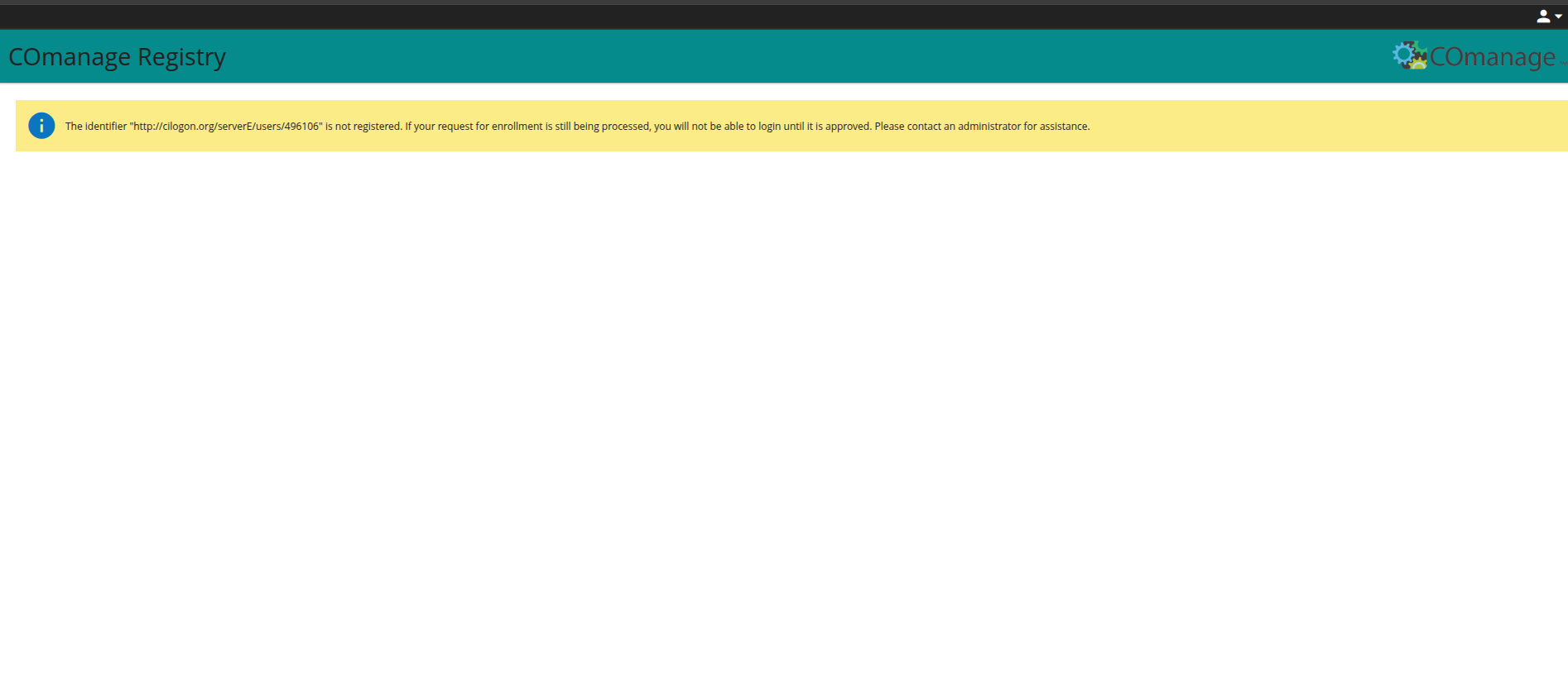
To help us investigate further, could you clarify the specific behavior? Are you able to authenticate to the RSP without issue, but then encounter an empty workspace or missing catalogs?
![Screenshot from 2026-04-21 12-35-43|690x297]
(upload://sn7TgIkwYGq7kFpDp9SdgEECk4G.jpeg)
Hi,
I have uploaded the error screenshots. I can login to the data preview and I got an confirmation email for that. But if I try to access the data for eg. 47 Tuc, the central region appears to be masked. For my colleague this is not the case.
Sarang
Hi @sshah1502, thanks for posting to the Forum. I will try to assist with these issues.
Account access: I can see that your Rubin Science Platform (RSP; data.lsst.cloud) account is Active and that you should be able to log in with ORCID or Google. You say that you “can login to the data preview”, but also posted a screenshot indicating that you’re unable to log in. Please try again: go to data.lsst.cloud, click “log in” at upper right, choose one of your two identity providers from the drop-down menu (ORCID or Google), and log in to the relevant account. This should return you to the data.lsst.cloud landing page but instead of “log in” at upper right, it should have your username.
47 Tuc: You mention that if you “try to access the data for eg. 47 Tuc, the central region appears to be masked. For my colleague this is not the case.” This sounds like you can login and access data just fine; the central region of 47 Tuc is saturated and appears masked in, e.g., the HiPS maps. I suspect that your colleague is not looking at the 47 Tuc field. Try the following. Go to Portal tutorial 301.1 47 Tuc Globular Cluster, and follow the link in “Step 1.2. Browse the gri color HiPS map. Go to the gri color HiPS map for the 47 Tuc field.” If this is what you see as a result, everything is working as it should
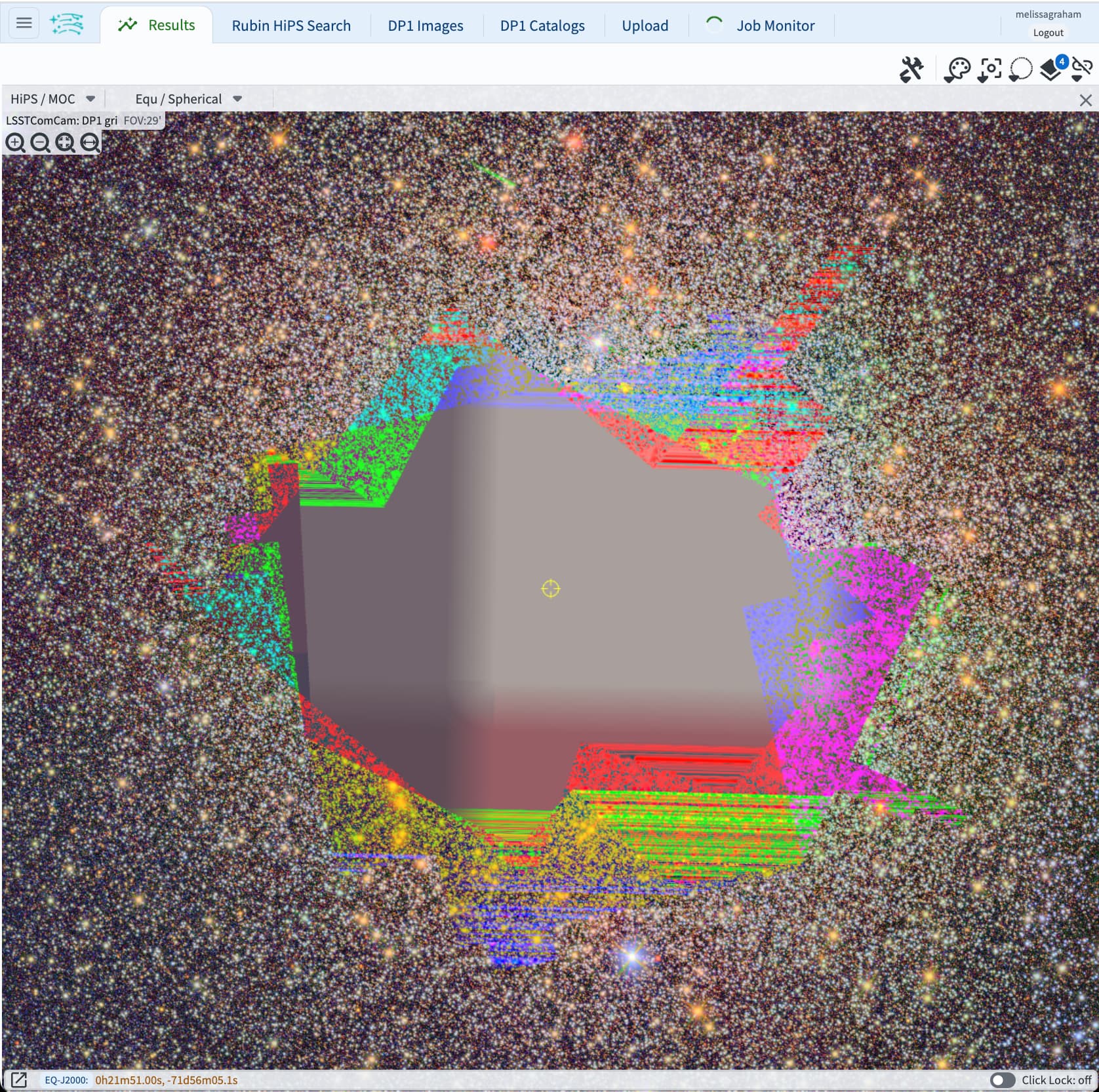
I’m pretty sure this is going to resolve your issue, so I’m marking this response as the solution – but if it didn’t fix things for you, please unmark it and reply in this topic thread and we’ll keep working on it, thanks!